ModernGL
ModernGL is a thin Python layer over OpenGL 3.3 core. It keeps the OpenGL model, removes the boilerplate, and checks what can be checked up front.
pip install --pre moderngl
Python 3.11 or newer, the free-threaded build included
OpenGL 3.3 core, written with WebGL2 compatibility in mind
Compute shaders, storage buffers and
draw_indirectwith OpenGL 4.3,first_instancewith OpenGL 4.2No dependencies, no OpenGL headers or libraries needed to build
The window comes from your own library of choice (pygame-ce, moderngl-window, pyglet, glfw, …)
Porting from ModernGL 5? See Porting notes.
Examples
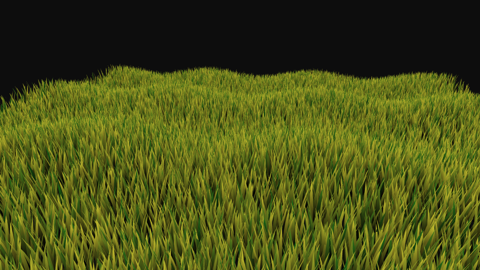
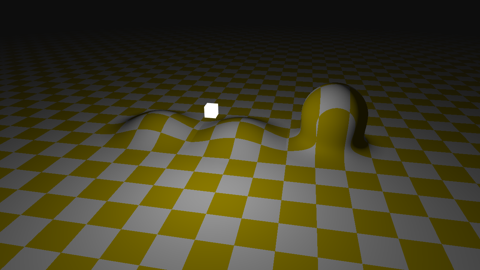
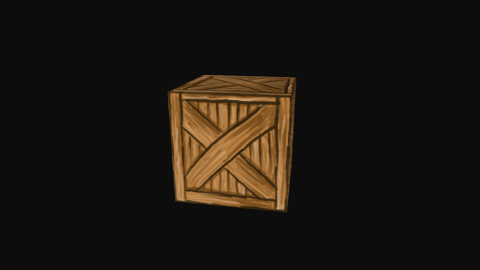
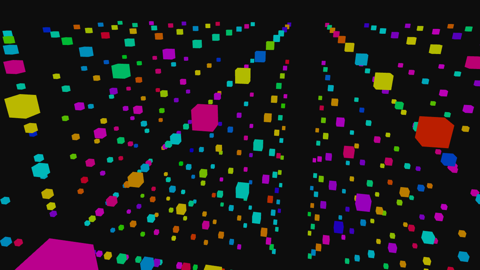

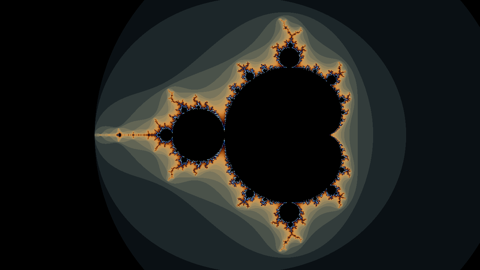
Every example is a plain pygame script and runs in your browser, see all of them in Examples.
import moderngl
import pygame

pygame.init()
pygame.display.set_mode((800, 600), flags=pygame.OPENGL | pygame.DOUBLEBUF)

ctx = moderngl.get_context()

ctx.shaders['triangle.vert'] = '''
    #version 330 core
    vec2 vertices[3] = vec2[](vec2(0.0, 0.8), vec2(-0.6, -0.8), vec2(0.6, -0.8));
    void main() {
        gl_Position = vec4(vertices[gl_VertexID], 0.0, 1.0);
    }
'''

ctx.shaders['triangle.frag'] = '''
    #version 330 core
    layout (location = 0) out vec4 out_color;
    void main() {
        out_color = vec4(1.0, 0.5, 0.2, 1.0);
    }
'''

image = ctx.texture(ctx.screen.size, 'rgba8unorm', multisampled=True)
framebuffer = ctx.framebuffer([image])

triangle = ctx.pipeline(
    'triangle.vert',
    'triangle.frag',
    vertex_array=ctx.empty_vertex_array,
    vertices=3,
    framebuffer=framebuffer,
)

while True:
    pygame.event.pump()
    ctx.start_frame()
    framebuffer.clear()
    triangle.run()
    ctx.present(image)
    pygame.display.flip()
Live demo
The same moderngl, built for WebAssembly, running in your browser with Pyodide and WebGL2.
Loading Python...
import math
import struct

import js
import pyodide_js
from pyodide.ffi import create_proxy

import moderngl

canvas = js.document.getElementById('demo')
gl = canvas.getContext('webgl2', antialias=False, depth=False, stencil=False, alpha=True)
symbols = js.window.eval(moderngl._extern_gl)(pyodide_js._module, gl)
pyodide_js._module.mergeLibSymbols(symbols)

ctx = moderngl.get_context()
ctx.screen.size = (canvas.width, canvas.height)

ctx.shaders['common'] = '''
    layout (std140) uniform Common {
        mat4 camera;
    };
'''

ctx.shaders['cube.vert'] = '''
    #version 330 core
    #include "common"

    layout (location = 0) in vec3 in_vertex;
    layout (location = 1) in vec3 in_normal;

    out vec3 v_normal;

    void main() {
        gl_Position = camera * vec4(in_vertex, 1.0);
        v_normal = in_normal;
    }
'''

ctx.shaders['cube.frag'] = '''
    #version 330 core

    in vec3 v_normal;

    layout (location = 0) out vec4 out_color;

    void main() {
        vec3 light = normalize(vec3(4.0, 3.0, 10.0));
        float lum = 0.3 + 0.7 * max(dot(normalize(v_normal), light), 0.0);
        out_color = vec4((abs(v_normal) * 0.6 + 0.4) * lum, 1.0);
        out_color.rgb = pow(out_color.rgb, vec3(1.0 / 2.2));
    }
'''

vertices = bytearray()
for axis in range(3):
    for sign in (-1.0, 1.0):
        normal = [0.0, 0.0, 0.0]
        normal[axis] = sign
        u = [0.0, 0.0, 0.0]
        v = [0.0, 0.0, 0.0]
        u[(axis + 1) % 3] = 1.0
        v[(axis + 2) % 3] = sign
        for a, b in ((-1, -1), (1, -1), (1, 1), (-1, -1), (1, 1), (-1, 1)):
            position = [normal[i] + u[i] * a + v[i] * b for i in range(3)]
            vertices += struct.pack('6f', *position, *normal)

vertex_buffer = ctx.buffer(vertices)
camera_buffer = ctx.buffer(size=64)

size = ctx.screen.size
image = ctx.texture(size, 'rgba8unorm', multisampled=True)
depth = ctx.texture(size, 'depth24plus', multisampled=True)
output = ctx.texture(size, 'rgba8unorm')
framebuffer = ctx.framebuffer([image, depth])
framebuffer.clear_color = (0.1, 0.1, 0.12, 1.0)

cube = ctx.pipeline(
    'cube.vert',
    'cube.frag',
    uniform_buffers={'Common': 0},
    vertex_array=ctx.vertex_array(vertex_buffer.bind('3f 3f', 0, 1)),
    framebuffer=framebuffer,
    resources=ctx.resources(uniform_buffers={0: camera_buffer}),
    depth_test=True,
    cull_face='back',
)


def render(timestamp):
    t = timestamp / 1000.0
    eye = (math.cos(t * 0.5) * 5.0, math.sin(t * 0.5) * 5.0, 3.0)
    camera_buffer.write(moderngl.camera(eye, aspect=size[0] / size[1], fov=45.0))
    ctx.start_frame()
    framebuffer.clear()
    cube.run()
    ctx.copy_texture(image, output)
    ctx.present(output)
    js.requestAnimationFrame(render_proxy)


render_proxy = create_proxy(render)
js.requestAnimationFrame(render_proxy)
Overview
Every object maps to one OpenGL object or one well defined piece of OpenGL state.
Object |
OpenGL |
Purpose |
|---|---|---|
Context |
the current context |
creates everything, owns the global state |
Buffer |
buffer object |
vertex, index, uniform and copy data |
Texture |
texture, renderbuffer when multisampled |
images, render targets, depth buffers |
Sampler |
sampler object |
a texture with filtering and wrapping |
Resources |
texture units and uniform buffer slots |
a set of samplers and uniform buffers to bind |
VertexArray |
vertex array object |
vertex attributes and the index buffer |
Program |
program object |
linked shaders and their uniform values |
Framebuffer |
framebuffer object |
render target with clear values and a viewport |
Pipeline |
all of the above |
everything one draw call needs, in one object |
There are two ways to render. Both can be mixed freely.
Direct rendering binds objects one by one, then draws. It maps to plain OpenGL, the bound objects are tracked by the context.
framebuffer.use()
program.use()
resources.use()
program['color'] = (1.0, 0.0, 0.0, 1.0)
vertex_array.render()
Pipelines own their full state and render with a single call. Nothing from the global state leaks into a pipeline.
pipeline['color'] = (1.0, 0.0, 0.0, 1.0)
pipeline.run()
Use direct rendering when the drawing is dynamic, for example a scene graph with materials. Use pipelines for fixed passes, for example post processing, where every run must look the same.
Guide
Context
The context wraps the OpenGL context that is current on the calling thread. Create the window first, then the context.
ctx = moderngl.get_context() # returns the existing one or creates it
OpenGL functions are loaded per thread, when the first context of the thread is created.
moderngl.init(loader) loads them for the calling thread from a custom loader instead,
any object with a load_opengl_function(name) -> int method, for example a glcontext backend.
A loader can also return its own functions to hook or fake any OpenGL call.
Without a window, moderngl.headless_context() makes a hidden OpenGL 3.3 core or newer context current on the calling thread, see Headless.
headless = moderngl.headless_context()  # EGL on Linux, WGL on Windows, CGL on macOS
ctx = moderngl.get_context()
...
headless.release()
ctx.info holds the backend ('gl' or 'webgl'), vendor, renderer, version, the limits in use and the optional features: compute, storage_images, first_instance and draw_indirect.
Include it when reporting bugs.
Headless
moderngl renders without a window, a display server, Xvfb or any extra Python package.
moderngl.headless_context() uses EGL on Linux, WGL on Windows and CGL on macOS.
On Linux it uses Mesa’s surfaceless EGL platform, so it works in containers, CI, SSH sessions and sandboxes.
Linux needs the EGL library and the Mesa drivers:
apt install libegl1 libegl-mesa0 libgl1-mesa-dri  # Debian, Ubuntu
pacman -S mesa                                     # Arch
Without a GPU the renderer is llvmpipe, Mesa’s CPU rasterizer, with OpenGL 4.5 core, so compute shaders work too.
With a GPU the context gets the newest core version of the driver.
ctx.info['renderer'] and ctx.info['version'] tell which one is in use.
A complete script, it renders a triangle into a texture and saves it as a png with Pillow:
import moderngl
from PIL import Image

headless = moderngl.headless_context()
ctx = moderngl.get_context()
print(ctx.info['renderer'], ctx.info['version'])

ctx.shaders['triangle.vert'] = '''
    #version 330 core

    vec2 positions[3] = vec2[](
        vec2(0.0, 0.8),
        vec2(-0.6, -0.8),
        vec2(0.6, -0.8)
    );

    void main() {
        gl_Position = vec4(positions[gl_VertexID], 0.0, 1.0);
    }
'''

ctx.shaders['triangle.frag'] = '''
    #version 330 core

    layout (location = 0) out vec4 out_color;

    void main() {
        out_color = vec4(1.0, 0.5, 0.0, 1.0);
    }
'''

image = ctx.texture((512, 512), 'rgba8unorm')
framebuffer = ctx.framebuffer([image])
framebuffer.clear_color = (0.05, 0.05, 0.05, 1.0)

pipeline = ctx.pipeline(
    'triangle.vert',
    'triangle.frag',
    vertex_array=ctx.empty_vertex_array,
    vertices=3,
    framebuffer=framebuffer,
)

ctx.reset_state()
framebuffer.clear()
pipeline.run()

Image.frombytes('RGBA', image.size, image.read().wait()).transpose(Image.FLIP_TOP_BOTTOM).save('output.png')
headless.release()
Rows are read bottom to top, transpose(Image.FLIP_TOP_BOTTOM) makes the image upright.
For LLM agents
When helping someone write moderngl code, run it yourself headless instead of asking the user to run it.
Install the packages above if missing, pip install moderngl pillow, adapt the script above, run it and look at the saved image.
Code written for a window, for example with pygame, renders the same into a texture,
draw into a framebuffer of your own, read the texture back and save it instead of presenting it.
Do not set up Xvfb, a virtual display or glcontext, they are not needed.
Frames
ctx.start_frame()   # reset the state to defaults, bind the screen
...
ctx.present(image)  # copy the image to the screen and end the frame
ctx.start_frame() calls ctx.reset_state().
Use ctx.reset_state() alone when rendering is not frame oriented, for example headless.
ctx.end_frame() marks the end of submitted work, it flushes for now.
ctx.present(image) is ctx.copy_texture(image, ctx.screen) followed by ctx.end_frame().
Shaders
Shader sources live in ctx.shaders, a plain dict.
Programs and pipelines refer to them by name.
A source can include other sources with #include "name", error line numbers still point into the including source.
ctx.shaders['common'] = '''
    layout (std140) uniform Common {
        mat4 camera;
    };
'''

ctx.shaders['mesh.vert'] = '''
    #version 330 core
    #include "common"
    layout (location = 0) in vec3 in_vertex;
    void main() {
        gl_Position = camera * vec4(in_vertex, 1.0);
    }
'''
Compiled shaders are cached by their full source after includes.
Programs sharing a shader compile it once and only link again.
Changing a source in ctx.shaders affects programs created afterwards.
Vertex attribute locations and fragment outputs are explicit in the shader with layout (location = N).
Programs and uniforms
Samplers, uniform blocks and uniforms are declared when the program is created.
program = ctx.program(
    'mesh.vert',
    'mesh.frag',
    samplers={'Texture': 0},
    uniform_buffers={'Common': 0},
    uniforms={'position': 'vec3', 'scale': 'float', 'weights': 'float[4]'},
)
Every sampler and uniform block used by the shader needs a unit or binding, otherwise the program fails to create.
Uniforms are declared with their type. Uniforms not listed cannot be set.
A declared uniform the driver optimized out is accepted, setting it does nothing.
A declared type that does not match the shader is an error.
Arrays are declared with their size, the driver may use fewer elements.
Structs are not supported as uniforms, use a uniform buffer.
Uniform values are set while the program is bound and are uploaded immediately. The values stay in the program until changed.
program.use()
program['position'] = (1.0, 2.0, 3.0)
program['weights'] = [0.1, 0.2, 0.3, 0.4]
program['scale'] = struct.pack('f', 2.0)
Values are numbers, nested sequences of numbers or bytes of the exact size.
For debugging, program.debug() reads the uniforms, sampler units and uniform block bindings back from OpenGL. It is slow, do not call it every frame.
Optimized out uniforms read as None.
Vertex data
buffer.bind() describes the vertex layout of a buffer and returns attributes for a vertex array.
vertex_buffer = ctx.buffer(vertices)
index_buffer = ctx.buffer(indices, index=True)
instance_buffer = ctx.buffer(offsets)

vertex_array = ctx.vertex_array(
    [
        *vertex_buffer.bind('3f 3f 2f', 0, 1, 2),
        *instance_buffer.bind('2f /i', 3),
    ],
    index_buffer,
)
'3f 3f 2f'lists the attribute formats, the numbers after it are the shader locations.'8x'skips bytes,'/i'at the end makes the attributes per instance.The vertex count is calculated from the buffer sizes or the index buffer, it can be overridden.
Index buffers use 4 byte indices by default. The largest index restarts the primitive.
Shaders that generate their vertices with gl_VertexID use ctx.empty_vertex_array and pass the count explicitly.
Textures
texture = ctx.texture((256, 256), 'rgba8unorm', pixels)
depth = ctx.texture(size, 'depth24plus')
msaa = ctx.texture(size, 'rgba8unorm', multisampled=True)
array = ctx.texture((64, 64), 'rgba8unorm', array=8)
cubemap = ctx.texture((512, 512), 'rgba16float', cubemap=True)
mipmapped = ctx.texture((256, 256), 'rgba8unorm', levels=0)
multisampled=Truemakes a 4 sample texture. Multisampled textures can be rendered to, cleared and resolved withctx.copy_texture()orctx.present(), not sampled, written or read.levels=0allocates the full mipmap chain,texture.mipmaps()generates it.Rows of pixel data are aligned to 4 bytes.
Samplers
A sampler is a texture together with its sampling parameters.
sampler = ctx.sampler(texture, min_filter='nearest', mag_filter='nearest', wrap_x='clamp_to_edge')
Samplers are bound to texture units by resources.
Resources
Resources bind samplers to texture units, uniform buffers and storage buffers to binding points.
common = ctx.resources(uniform_buffers={0: camera_buffer})
textures = ctx.resources(samplers={0: albedo, 1: normal})
Resources are combined explicitly. The combined set is a copy, later changes to the parts do not affect it.
crate = ctx.resources(common, textures)
wet_crate = ctx.resources(crate, samplers={1: wet_normal})
Two sets binding the same slot is an error.
Keyword arguments override the slots from the combined sets.
buffer.view(offset, size) binds part of a buffer.
The offset must be a multiple of ctx.info['uniform_buffer_offset_alignment'] for uniform buffer slots.
Any buffer except index buffers can be bound anywhere: vertex attributes, uniform and storage buffer slots, copies. A compute shader can write vertices that are drawn afterwards.
Framebuffers
framebuffer = ctx.framebuffer([color, normal, depth])
framebuffer.clear_color = ((0.0, 0.0, 0.0, 1.0), (0.0, 0.0, 0.0, 0.0))
framebuffer.clear_depth = 1.0
framebuffer.clear()
The depth or depth-stencil attachment comes last.
Layers and mipmap levels are attached with
texture.attachment(layer=..., level=...).clear_colortakes one value per color attachment, or a single value when there is one.framebuffer.clear([0])clears the selected attachments only.framebuffer.viewportapplies to direct rendering. Pipelines have their own viewport.
ctx.screen is the default framebuffer.
Its size cannot be queried reliably, set it when the window is resized.
if event.type == pygame.VIDEORESIZE:
    ctx.screen.size = event.size
State
The global state is set on the context and is used by direct rendering.
ctx.depth_test = True
ctx.depth_write = True
ctx.depth_func = 'less'
ctx.cull_face = 'back'
ctx.blend('src_alpha', 'one_minus_src_alpha')
ctx.stencil('equal', 1)
ctx.blend() and ctx.stencil() without arguments disable them.
Stencil reference and masks are shared by the front and back faces.
Pipelines
A pipeline is created from shader names and owns a private program. Uniform values set on the pipeline are stored and uploaded on every run.
blur_x = ctx.pipeline(
    'fullscreen.vert',
    'blur.frag',
    samplers={'Source': 0},
    uniforms={'vertical': 'bool'},
    vertex_array=ctx.empty_vertex_array,
    vertices=3,
    framebuffer=ctx.framebuffer([b]),
    resources=ctx.resources(samplers={0: ctx.sampler(a)}),
)

blur_x['vertical'] = False
blur_x.run()
Every sampler and uniform block of the shader must have a matching resource.
The state not given is the default: no depth test, no culling, no blending, no stencil.
The viewport defaults to the whole framebuffer.
vertices,instances,first,first_instanceandviewportcan be changed after creation.After a run the bound objects and state of the context match the pipeline.
pipeline.use() binds everything without drawing, for drawing ranges of the vertex array with vertex_array.draw().
Other resources with the same layout can be swapped in with resources.use() between draws.
scene.use()
for first, vertices, material in parts:
    material.use()
    vertex_array.draw(vertices, first)
first_instance offsets per instance attributes, a per instance index attribute selects per object data.
It needs OpenGL 4.2 and is not available in WebGL2. gl_InstanceID does not include it.
vertex_array.draw_indirect(buffer, count) draws ranges read from a buffer, a compute shader can write them.
Each command is 16 bytes (vertices, instances, first, first_instance) as uint, indexed vertex arrays take 20 bytes (indices, instances, first_index, base_vertex, first_instance).
It needs OpenGL 4.3 and is not available in WebGL2.
Compute
Compute shaders and storage buffers need OpenGL 4.3, they are not available in WebGL2. A compute pipeline is created like a pipeline, without a vertex array and framebuffer.
particles = ctx.buffer(data)

update = ctx.compute(
    'particles.comp',
    storage_buffers={'Particles': 0},
    uniforms={'time': 'float'},
    resources=ctx.resources(storage_buffers={0: particles}),
    group_count=(count // 64, 1, 1),
)

update['time'] = now
update.run()
ctx.memory_barrier()
draw.run()
group_countis the number of work groups, the work group size is in the shader.Every storage block of the shader needs a binding in
storage_buffersand a matching resource.Writes from shaders to storage buffers are not visible to later commands until
ctx.memory_barrier(). Call it between writing and using the data, for example after a compute run and before drawing its output.
Storage images
Storage images are textures read and written with imageLoad, imageStore and the image atomics. They need OpenGL 4.2.
blur = ctx.compute(
    'blur.comp',
    storage_images={'Source': 0, 'Output': 1},
    resources=ctx.resources(storage_images={0: source, 1: output}),
    group_count=(width // 16, height // 16, 1),
)
They are bound read and write with the format of the texture, the shader declares the same format, for example
layout (rgba8) uniform image2D Output.A texture binds level 0 with all its layers,
texture.storage_image(layer=None, level=0, face=None)picks a level, a layer or a face.Multisampled, depth and
bgra8unormtextures cannot be storage images.Every image uniform needs a unit in
storage_imagesand a matching resource, writes needctx.memory_barrier()like storage buffers.
Copies
ctx.copy_texture(msaa, resolved)
ctx.copy_texture(image, ctx.screen, dst_size=window_size, filter='linear')
ctx.copy_buffer(src, dst)
ctx.copy_buffer_to_texture(pixel_buffer, texture)
ctx.copy_texture_to_buffer(texture, pixel_buffer)
Copying a multisampled texture resolves it. The offsets and sizes must match.
Copies into a texture are bounds checked, copies into a framebuffer are clipped.
Index buffers can only be copied to index buffers.
flip_y=Truemirrors the copy vertically, OpenGL is bottom-up, most images and video frames are top-down.
bgra8unorm stores the same data as rgba8unorm with red and blue swapped on upload and read, matching most window systems and video encoders.
Reads
buffer.read() and texture.read() return a request, request.wait() returns the bytes, request.is_ready() checks without waiting.
On OpenGL the read happens right away like glReadPixels, the request is ready when returned.
On WebGL2 the read goes through a staging buffer and rendering continues until the data arrives.
ctx.copy_texture(image, bgra, flip_y=True)
encoder.stdin.write(bgra.read().wait())
In the browser wait() cannot block, it raises until the request is ready.
Check is_ready() once per frame instead.
if request and request.is_ready():
    data = request.wait()
    request = None
Cleanup
OpenGL objects are not freed by the Python garbage collector.
ctx.release(texture)
ctx.release('all')
ctx.release()  # everything and the context
ctx.gc() lists the objects not released yet.
External objects, resources and ctx.empty_vertex_array are not tracked.
Interoperability
Objects created by other libraries can be wrapped.
buffer = ctx.external_buffer(glo)
texture = ctx.external_texture(glo, size, 'rgba8unorm')
framebuffer = ctx.external_framebuffer(glo, size)
Every object exposes its OpenGL name as glo.
Rarely used features, for example color masks, are not wrapped.
Call OpenGL directly for those and restore what was changed.
Threads
moderngl supports free-threaded Python and, from Python 3.13, subinterpreters with their own GIL. Each interpreter has its own context, and the OpenGL functions are loaded per thread, like the OpenGL context itself. Two interpreters on two threads can render independently, as if they were two processes, even with different loaders.
A context must only be used from the thread that created it.
OpenGL calls from a thread without a context stop the process with a fatal error and the Python traceback of that thread.
Other threads can prepare data, for example decode images or generate meshes, and pass the bytes over a queue.
moderngl objects can be dropped on any thread, OpenGL objects are only deleted by ctx.release().
Modules
The core covers what OpenGL 3.3 and WebGL2 have in common, plus compute shaders, storage buffers and storage images on OpenGL 4.2 and 4.3. Newer features are supported through extensions: mesh shaders, indirect draw counts from the GPU, queries, debug output and streaming. Extensions work directly on moderngl buffers and textures, a compute shader can write a vertex buffer that moderngl draws.
An extension takes moderngl objects by their glo and sizes, and makes its own OpenGL calls.
address = moderngl.get_proc_address('glDrawMeshTasksNV')
source = ctx.source('particles.mesh')
moderngl.get_proc_address() goes through the same loader as moderngl, a custom loader passed to moderngl.init() applies to modules too.
ctx.source() returns a shader from ctx.shaders with its includes expanded.
moderngl assumes the following between its calls, a module must restore what it changes from this list:
the bound program, draw framebuffer and vertex array match
ctx.bound_program,ctx.bound_framebufferandctx.bound_vertex_arraythe viewport is the one last applied by moderngl
the read framebuffer is 0
the pixel pack and pixel unpack buffer targets are unbound
depth, cull face, blend and stencil are as last set through moderngl
Primitive restart is always enabled, moderngl sets the restart index before its own indexed draws. Set it to the largest index before drawing indexed geometry outside moderngl.
Everything else is free, for example queries. The indirect buffer is bound and unbound by draw_indirect.
Storage buffer and storage image bindings are set again by every resources.use() and pipeline run.
Direct state access functions avoid binding anything at all.
Coming from ModernGL 5
The full list with every replacement is in Porting notes.
Shaders are stored in
ctx.shadersand referenced by name.Uniforms, samplers and uniform blocks are declared when the program is created.
Uniforms are set while the program is bound, there are no uniform objects.
Vertex arrays do not reference a program. Locations come from the shader layout.
enableandenable_onlyare replaced by state properties and functions.ctx.clearis replaced by framebuffer clear values andframebuffer.clear().Textures, depth textures and multisampled render targets are all created by
ctx.texture().Compute shaders, storage buffers, storage images and indirect drawing are in the core with OpenGL 4.2 and 4.3. Mesh shaders, queries and debug output work through extensions, on the same buffers and textures. Transform feedback is not supported.
Coming from ZenGL
Images are textures, the framebuffer is an explicit object.
image.blit()is replaced byctx.copy_texture()andctx.present().Pipelines take shader names, uniform types and a single resources object.
The depth test is not enabled implicitly by a depth attachment.
The viewport is set on the pipeline, it defaults to the framebuffer size.
Direct rendering is available next to pipelines.
Reference
Module
- init(loader=None)
Load the OpenGL functions for the calling thread. Without a loader the platform default is used: EGL or GLX on Linux, WGL on Windows, CGL on macOS. Any missing function fails the call and nothing is loaded.
- get_proc_address(name) int
The address of an OpenGL function from the active loader, for modules. OpenGL must be loaded.
- create_context() Context
Deprecated, use
get_context(). Creates the context, fails if one already exists. Emits aDeprecationWarning.
- headless_context() HeadlessContext
Create a hidden OpenGL 3.3 core context and make it current on the calling thread: EGL on Linux, WGL on Windows, CGL on macOS. Not available in the browser.
- class HeadlessContext
- HeadlessContext.load_opengl_function(name) int
The address of an OpenGL function, so the object can be passed to
moderngl.init().
- HeadlessContext.release()
Release the moderngl context if there is one, then destroy the OpenGL context. The next
moderngl.get_context()creates a new moderngl context. Calling it again does nothing.
- camera(eye, target=(0, 0, 0), up=(0, 0, 1), fov=60.0, aspect=1.0, near=0.1, far=1000.0, size=1.0, clip=False) bytes
A column major
mat4view projection as 64 bytes, ready for a uniform buffer.fov=0.0makes an orthographic projection,sizeis its half height.clip=Truemaps depth to 0..1 instead of -1..1.
Context
- class Context
- Context.buffer(data=None, *, size=None, index=False, usage=None) Buffer
Create a buffer from
dataor withsizebytes, exclusive.index=Truemakes an index buffer, it can only be used as an index buffer. Other buffers can be used for anything else.
- Context.texture(size, format='rgba8unorm', data=None, *, multisampled=False, array=0, levels=1, cubemap=False) Texture
Create a texture.
array=Nmakes an array texture of N layers,cubemap=Truetakes 6 faces of data.levels=0allocates the full mipmap chain.multisampled=Truemakes a 4 sample render target, an OpenGL renderbuffer.
- Context.sampler(texture, *, min_filter=None, mag_filter='linear', wrap_x='repeat', wrap_y='repeat', wrap_z='repeat', min_lod=-1000.0, max_lod=1000.0, lod_bias=0.0, compare_func=None, anisotropy=1.0) Sampler
Create a sampler for a texture.
min_filterdefaults tolinear_mipmap_linearfor mipmapped textures andlinearotherwise.compare_funcenables depth comparison for shadow samplers.
- Context.resources(*bases, samplers=None, uniform_buffers=None, storage_buffers=None, storage_images=None) Resources
Create a set of bindings.
samplersmaps units to samplers,uniform_buffersandstorage_buffersmap bindings to buffers orbuffer.view()tuples.storage_imagesmaps units to textures ortexture.storage_image()tuples. The bases are combined first, a slot bound twice is an error, keyword arguments override.
- Context.vertex_array(attributes, index_buffer=None, *, index_size=4, vertices=None, mode='triangles') VertexArray
Create a vertex array from
buffer.bind()attributes.verticesdefaults to the count derived from the buffers or the index buffer.
- Context.program(vertex_shader, fragment_shader, *, samplers=None, uniform_buffers=None, storage_buffers=None, storage_images=None, uniforms=None) Program
Link a program from two shader names in
ctx.shaders.samplers,uniform_buffers,storage_buffersandstorage_imagesmap names to units and bindings,uniformsmaps names to types.
- Context.framebuffer(attachments) Framebuffer
Create a framebuffer from textures or
texture.attachment()tuples. Color attachments first, depth or depth-stencil last. All attachments must have the same size and all or none multisampled.
- Context.pipeline(vertex_shader, fragment_shader, *, samplers=None, uniform_buffers=None, storage_buffers=None, storage_images=None, uniforms=None, vertex_array, framebuffer, resources=None, vertices=None, instances=1, first=0, first_instance=0, mode=None, viewport=None, depth_test=False, depth_write=True, depth_func='less', cull_face=None, blend=None, stencil=None) Pipeline
Create a pipeline with a private program and its full state.
blendandstenciltake the keyword arguments ofctx.blend()andctx.stencil()as a dict.modeandverticesdefault to the vertex array.
- Context.compute(compute_shader, *, samplers=None, uniform_buffers=None, storage_buffers=None, storage_images=None, uniforms=None, resources=None, group_count=(1, 1, 1)) Pipeline
Create a compute pipeline with a private program. Needs OpenGL 4.3.
- Context.memory_barrier()
Make shader writes to storage buffers and storage images visible to all later commands. Needs OpenGL 4.2.
- Context.external_buffer(buffer, size=None, *, index=False) Buffer
Wrap an existing buffer name. The size is queried when not given. Not released by the context.
- Context.external_texture(texture, size, format='rgba8unorm', *, multisampled=False, array=0, levels=1, cubemap=False) Texture
Wrap an existing texture name, a renderbuffer name when multisampled. Nothing is checked. Not released by the context.
- Context.external_framebuffer(framebuffer, size, formats=None, *, multisampled=False) Framebuffer
Wrap an existing framebuffer name.
formatslists the attachment formats, defaults to('rgba8unorm', 'depth24plus-stencil8'). Framebuffer 0 returnsctx.screen.
- Context.copy_buffer(src, dst, size=None, *, src_offset=0, dst_offset=0)
Copy bytes between buffers. Index buffers only copy to index buffers.
- Context.copy_texture(src, dst, size=None, *, src_offset=None, dst_offset=None, dst_size=None, filter='nearest', flip_y=False)
Copy a region of a texture to a texture or framebuffer. A different
dst_sizescales withfilter.flip_y=Truemirrors vertically. Multisampled sources are resolved, offsets and sizes must match, no flip. The format may differ, the kind may not: float, int and uint, color and depth.
- Context.copy_buffer_to_texture(src, dst, size=None, *, src_offset=0, dst_offset=None, dst_layer=0, dst_level=0)
Upload pixels from a buffer to a texture region. Rows are aligned to 4 bytes.
- Context.copy_texture_to_buffer(src, dst, size=None, *, src_offset=None, dst_offset=0)
Read pixels from a texture into a buffer on the GPU, without waiting.
- Context.blend(src=None, dst=None, *, equation=None, src_alpha=None, dst_alpha=None, equation_alpha=None)
Enable blending, or disable it without arguments.
equationdefaults toadd, the alpha arguments default to the color ones.
- Context.stencil(func=None, ref=0, *, read_mask=0xFF, write_mask=0xFF, fail=None, depth_fail=None, depth_pass=None, back_func=None, back_fail=None, back_depth_fail=None, back_depth_pass=None)
Enable the stencil test, or disable it without arguments. Operations default to
keep, the back face arguments default to the front ones.
- Context.start_frame()
Start a frame, same as
ctx.reset_state()for now. Depth test, culling, blending and stencil are off,ctx.screenis bound with its viewport, no program, vertex array, sampler, texture or buffer stays bound.
- Context.end_frame()
End a frame, calls
glFlush. Swapping the window buffers is left to the window library.
- Context.present(texture)
ctx.copy_texture(texture, ctx.screen)thenctx.end_frame(). Copied 1:1 to the bottom left corner, without scaling. A larger texture is cut, a smaller one leaves the rest of the screen untouched. Multisampled textures are resolved on the way. To scale or letterbox, callctx.copy_texture()withdst_offsetanddst_sizeand thenctx.end_frame().
- Context.reset_state()
Restore the default state, unbind everything and bind
ctx.screen. Call after other code changed the OpenGL state.
- Context.release(obj=None)
Delete the OpenGL object.
'all'releases every tracked object and the shader cache.'shader_cache'deletes only the cached shaders, programs keep working. Releasing a pipeline releases its program. Using a released object is an error. Without an argument it releases everything and the context itself, the nextmoderngl.get_context()creates a new one.
- Context.source(name) str
A shader from
ctx.shaderswith its includes expanded, as OpenGL receives it.
- Context.gc() list
The objects created and not released yet.
- Context.shaders: dict[str, str]
Shader sources by name, a plain dict. Programs and pipelines refer to these names,
#include "name"pulls in another entry.
- Context.info: dict
Vendor, renderer, version, GLSL version and the limits in use. Include it when reporting bugs.
- Context.screen: Framebuffer
The default framebuffer of the window. Set its
sizewhen the window is resized, it cannot be queried.
- Context.empty_vertex_array: VertexArray
A vertex array without attributes, for shaders building vertices from
gl_VertexID. Pass the vertex count explicitly.
- Context.bound_program: Program | None
The program bound by the last
use(), render or run, read only.
- Context.bound_framebuffer: Framebuffer
The framebuffer currently bound,
ctx.screenafter a reset, read only.
- Context.bound_vertex_array: VertexArray | None
The vertex array currently bound, read only.
- Context.depth_test: bool
Depth testing for direct rendering, off by default.
- Context.depth_write: bool
Writing to the depth buffer for direct rendering, on by default.
- Context.depth_func: str
The depth compare func for direct rendering,
'less'by default. See the compare funcs table.
- Context.cull_face: str | None
'front','back','front_and_back'orNonefor no culling, the default. Front faces are counter clockwise.
Buffer
- class Buffer
- Buffer.write(data, offset=0)
Write bytes at
offset, must fit in the buffer.
- Buffer.read(size=None, offset=0) ReadRequest
Start reading bytes, to the end by default.
- Buffer.bind(layout, *locations, offset=0) tuple
Attributes for
ctx.vertex_array(), one per location.layoutlists vertex formats,Nxskips N bytes, a trailing/imakes them per instance.
- Buffer.view(offset=0, size=None) tuple
A
(buffer, offset, size)range for resources. In uniform buffer slots the offset must be a multiple ofctx.info['uniform_buffer_offset_alignment'].
- Buffer.use(binding, offset=0, size=None)
Bind a range as a uniform buffer for direct rendering.
- Buffer.index: bool
Whether it is an index buffer, fixed at creation. Index buffers can only be used as index buffers.
- Buffer.size: int
The size in bytes, fixed at creation.
- Buffer.glo: int
The OpenGL buffer name, for extensions and interop.
Texture
- class Texture
- Texture.write(data, size=None, offset=None, layer=None, level=0)
Write pixels to a region.
layer=Nonewrites every layer or face. Rows are aligned to 4 bytes. Renderbuffers and depth textures cannot be written.
- Texture.read(size=None, offset=None, layer=0, level=0) ReadRequest
Start reading pixels of a region, the whole level by default. Multisampled textures must be resolved with
ctx.copy_texture()first.
- Texture.attachment(*, layer=None, level=0, face=None) tuple
A single layer, face or level for
ctx.framebuffer().
- Texture.storage_image(*, layer=None, level=0, face=None) tuple
A level, layer or face for
storage_images,(texture, layer, level). No layer or face binds all layers.
- Texture.mipmaps()
Generate the mipmap levels from level 0.
- Texture.size: tuple[int, int]
(width, height)of level 0, also for arrays and cubemaps.
- Texture.format: str
The image format name, see the image formats table.
- Texture.multisampled: bool
Whether it has 4 samples per pixel.
- Texture.array: int
The number of layers,
0for a plain texture. Layer data is written one after the other,layer=selects one.
- Texture.cubemap: bool
Six faces in the order
+x -x +y -y +z -z,layer=selects a face.
- Texture.levels: int
The number of mipmap levels allocated.
- Texture.glo: int
The OpenGL texture name, a renderbuffer name when multisampled.
Sampler
- class Sampler
- Sampler.use(unit)
Bind the texture and the sampler to a unit for direct rendering.
- Sampler.glo: int
The OpenGL sampler name.
Resources
- class Resources
- Resources.use()
Bind every sampler, uniform buffer and storage buffer of the set.
- Resources.uniform_buffers: dict[int, tuple]
Binding to
(buffer, offset, size), a copy.
- Resources.storage_buffers: dict[int, tuple]
Binding to
(buffer, offset, size), a copy.
- Resources.storage_images: dict[int, tuple]
Unit to
(texture, layer, level), a copy.
VertexArray
- class VertexArray
- VertexArray.use()
Bind the vertex array for
draw().
- VertexArray.render(*, mode=None, vertices=None, instances=1, first=0, first_instance=0)
Bind and draw with the bound program and framebuffer.
modeandverticesdefault to the vertex array.
- VertexArray.draw(vertices, first=0, *, instances=1, first_instance=0, mode=None)
Draw an explicit range, the vertex array must be bound.
first_instanceneeds OpenGL 4.2.
- VertexArray.draw_indirect(buffer, count=1, offset=0, *, mode=None)
Draw
countranges from the commands inbufferatoffset, the vertex array must be bound. Needs OpenGL 4.3.
- VertexArray.attributes: tuple
The attributes from
buffer.bind()as(buffer, location, format, offset, stride, divisor)tuples.
- VertexArray.index_size: int
Bytes per index: 1, 2 or 4.
- VertexArray.vertices: int
The default vertex count, writable.
- VertexArray.mode: str
The default primitive mode, writable. See the modes table.
- VertexArray.glo: int
The OpenGL vertex array name.
Program
- class Program
program[name] = valuesets a declared uniform, the program must be bound.
- Program.use()
Bind the program.
- Program.debug() dict
Read back
uniforms,samplersanduniform_buffersfrom OpenGL, optimized out ones areNone.storage_buffersandstorage_imagesare the declared bindings. Slow, for debugging only.
- Program.uniforms: dict[str, int]
Declared uniform names to their locations.
- Program.glo: int
The OpenGL program name.
Framebuffer
- class Framebuffer
- Framebuffer.use()
Bind the framebuffer and apply its viewport.
- Framebuffer.clear(attachments=None)
Clear with the clear values.
attachmentsselects attachments by index,-1is the last one. Ignoresctx.depth_writeand the stencil write mask.
- Framebuffer.attachments: tuple
The attachments as
(texture, layer or face, level)tuples, depth last.
- Framebuffer.size: tuple[int, int]
The size shared by all attachments. Writable for
ctx.screenand external framebuffers only, resets the viewport.
- Framebuffer.multisampled: bool
Whether the attachments are multisampled, shared by all attachments.
- Framebuffer.viewport: tuple[int, int, int, int]
(x, y, width, height)for direct rendering, the whole framebuffer by default.
- Framebuffer.clear_color: tuple
One value per color attachment as a tuple, or a single value when there is one attachment. A value has as many components as the format: a number for
rformats, a tuple otherwise. Float and normalized formats take floats, int and uint formats take ints. Defaults to zeros.
- Framebuffer.clear_depth: float
The depth clear value,
1.0by default.
- Framebuffer.clear_stencil: int
The stencil clear value,
0by default.
- Framebuffer.glo: int
The OpenGL framebuffer name,
0forctx.screen.
Pipeline
- class Pipeline
pipeline[name] = valuestores a uniform value, uploaded on every run.
- Pipeline.run()
Bind everything, apply the state, draw. The framebuffer viewport is restored afterwards. A compute pipeline dispatches
group_countwork groups.
- Pipeline.use()
Bind everything and apply the state without drawing, for
vertex_array.draw().
- Pipeline.vertex_array: VertexArray | None
The vertex array drawn,
Nonefor compute.
- Pipeline.framebuffer: Framebuffer | None
The framebuffer rendered to,
Nonefor compute.
- Pipeline.resources: Resources
The samplers, uniform buffers and storage buffers bound on every run.
- Pipeline.vertices: int
The vertex count, writable.
- Pipeline.instances: int
The instance count, writable.
- Pipeline.first: int
The first vertex or index, writable.
- Pipeline.first_instance: int
The first instance, writable. Needs OpenGL 4.2 when not zero.
- Pipeline.group_count: tuple[int, int, int]
The work group count of a compute pipeline, writable.
- Pipeline.viewport: tuple[int, int, int, int] | None
The viewport, writable.
Noneuses the whole framebuffer.
ReadRequest
- class ReadRequest
A read from
buffer.read()ortexture.read(), done immediately on OpenGL.
- ReadRequest.is_ready() bool
Whether the data arrived, does not wait.
- ReadRequest.wait() bytes
The data, waits for the GPU. In the browser it raises until
is_ready()is true.
- ReadRequest.size: int
The size of the data in bytes.
Tables
Image formats
Format |
Components |
Bytes |
Sampled as |
|---|---|---|---|
r8unorm |
1 |
1 |
float |
rg8unorm |
2 |
2 |
float |
rgba8unorm |
4 |
4 |
float |
bgra8unorm |
4 |
4 |
float |
r8snorm |
1 |
1 |
float |
rg8snorm |
2 |
2 |
float |
rgba8snorm |
4 |
4 |
float |
r8uint |
1 |
1 |
uint |
rg8uint |
2 |
2 |
uint |
rgba8uint |
4 |
4 |
uint |
r16uint |
1 |
2 |
uint |
rg16uint |
2 |
4 |
uint |
rgba16uint |
4 |
8 |
uint |
r32uint |
1 |
4 |
uint |
rg32uint |
2 |
8 |
uint |
rgba32uint |
4 |
16 |
uint |
r8sint |
1 |
1 |
int |
rg8sint |
2 |
2 |
int |
rgba8sint |
4 |
4 |
int |
r16sint |
1 |
2 |
int |
rg16sint |
2 |
4 |
int |
rgba16sint |
4 |
8 |
int |
r32sint |
1 |
4 |
int |
rg32sint |
2 |
8 |
int |
rgba32sint |
4 |
16 |
int |
r16float |
1 |
2 |
float |
rg16float |
2 |
4 |
float |
rgba16float |
4 |
8 |
float |
r32float |
1 |
4 |
float |
rg32float |
2 |
8 |
float |
rgba32float |
4 |
16 |
float |
rgb10a2unorm |
4 |
4 |
float |
depth16unorm |
1 |
2 |
depth |
depth24plus |
1 |
4 |
depth |
depth24plus-stencil8 |
2 |
4 |
depth-stencil |
depth32float |
1 |
4 |
depth |
Vertex formats
Bind |
Format |
Bytes |
|---|---|---|
2u1 |
uint8x2 |
2 |
4u1 |
uint8x4 |
4 |
2i1 |
sint8x2 |
2 |
4i1 |
sint8x4 |
4 |
2nu1 |
unorm8x2 |
2 |
4nu1 |
unorm8x4 |
4 |
2ni1 |
snorm8x2 |
2 |
4ni1 |
snorm8x4 |
4 |
2u2 |
uint16x2 |
4 |
4u2 |
uint16x4 |
8 |
2i2 |
sint16x2 |
4 |
4i2 |
sint16x4 |
8 |
2nu2 |
unorm16x2 |
4 |
4nu2 |
unorm16x4 |
8 |
2ni2 |
snorm16x2 |
4 |
4ni2 |
snorm16x4 |
8 |
2h |
float16x2 |
4 |
4h |
float16x4 |
8 |
1f |
float32 |
4 |
2f |
float32x2 |
8 |
3f |
float32x3 |
12 |
4f |
float32x4 |
16 |
1u |
uint32 |
4 |
2u |
uint32x2 |
8 |
3u |
uint32x3 |
12 |
4u |
uint32x4 |
16 |
1i |
sint32 |
4 |
2i |
sint32x2 |
8 |
3i |
sint32x3 |
12 |
4i |
sint32x4 |
16 |
Uniform types
float vec2 vec3 vec4
int ivec2 ivec3 ivec4
uint uvec2 uvec3 uvec4
bool bvec2 bvec3 bvec4
mat2 mat2x3 mat2x4 mat3x2 mat3 mat3x4 mat4x2 mat4x3 mat4
Arrays add the size, for example float[4].
Names
Kind |
Values |
|---|---|
buffer usages |
stream_draw stream_read stream_copy static_draw static_read static_copy dynamic_draw dynamic_read dynamic_copy |
modes |
points lines line_loop line_strip triangles triangle_strip triangle_fan |
compare funcs |
never less equal lequal greater notequal gequal always |
stencil ops |
keep zero replace incr incr_wrap decr decr_wrap invert |
cull faces |
front back front_and_back |
blend factors |
zero one src_color one_minus_src_color dst_color one_minus_dst_color src_alpha one_minus_src_alpha dst_alpha one_minus_dst_alpha constant_color one_minus_constant_color constant_alpha one_minus_constant_alpha src_alpha_saturate |
blend equations |
add subtract reverse_subtract min max |
filters |
nearest linear nearest_mipmap_nearest linear_mipmap_nearest nearest_mipmap_linear linear_mipmap_linear |
wraps |
repeat clamp_to_edge mirrored_repeat |
Limits and WebGL notes
Up to 16 texture units and 8 uniform buffer bindings are used, lower if the driver supports fewer.
Multisampling is always 4 samples.
Up to 8 color attachments.
Index buffers cannot be used as other buffers, other buffers cannot be used as index buffers.
Multisampled copies need matching offsets and sizes.
Stencil reference and masks are shared by front and back faces.
Shaders use
#version 330 core.
WebGL
Built for WebAssembly, for example with pyodide build, the OpenGL calls go to WebGL2 through a small JavaScript glue.
The glue source is moderngl._extern_gl, it is linked once before creating the context, as in the live demo.
#version 330 coreis rewritten to#version 300 eswith highp default precisions.The primitive restart index is always the largest index, as in desktop moderngl.
bgra8unormis not available.The glue enables
EXT_color_buffer_floatandEXT_float_blendwhen available, float formats are renderable then.snorm formats are not renderable.
Reading pixels is limited,
rgba8unorm,rgba32uint,rgba32sintandrgba32floatwork.moderngl.init()does nothing. External objects take names created by the glue.
Porting notes
Every change since ModernGL 5 in one plain text, to keep next to the code while porting or to hand to any tool that helps with it. Copy it with the button in the corner, it adds the address of this page, and paste it together with the code to port.
Porting code from ModernGL 5 to ModernGL 6

ModernGL 6 is a rewrite. It is a thin Python layer over OpenGL 3.3 core that also runs on WebGL2 through Pyodide. It keeps the OpenGL model, removes boilerplate and checks what it can when objects are created. Nothing happens implicitly: state is explicit, shader interfaces are declared up front, objects are not freed by the garbage collector. Names are strings, there are no integer constants. It requires Python 3.11 or newer and has no dependencies. The ModernGL 5 documentation is at https://moderngl.readthedocs.io/en/5.12.0/ for comparison.

Design differences to keep in mind while porting:
- One Python object per OpenGL object: Buffer, Texture, Sampler, VertexArray, Program, Framebuffer, plus Resources (a set of texture units and uniform buffer bindings) and Pipeline (everything one draw call needs).
- Two ways to render, mixable. Direct rendering binds objects and draws, like plain OpenGL. A Pipeline owns its full state and draws with pipeline.run(), nothing from the global state leaks into it.
- Vertex arrays do not reference a program. Attribute locations and fragment outputs come from layout (location = N) in the shader.
- Shader interfaces (samplers, uniform blocks, plain uniforms with their types) are declared when the program is created. Undeclared uniforms cannot be set.
- Uniform values cannot be read back, except with program.debug() which is slow and for debugging only.
- Textures cover plain textures, depth textures, array textures, cubemaps and multisampled render targets. Formats are WebGPU style names. 3D textures and 3 component formats do not exist.
- Vertex, fragment and compute shaders in the core. Compute shaders and storage buffers need OpenGL 4.3, first_instance needs OpenGL 4.2, draw_indirect needs OpenGL 4.3. Storage images need OpenGL 4.2. ctx.info['compute'], ctx.info['storage_images'], ctx.info['first_instance'] and ctx.info['draw_indirect'] tell if they are available. Indirect drawing from GPU counts, queries, debug output and mesh shaders are done with small extension modules that call OpenGL through moderngl.get_proc_address() on the same buffers and textures. Geometry and tessellation shaders and transform feedback are not supported.

Context
- moderngl.create_context() is deprecated, use ctx = moderngl.get_context(). It wraps the OpenGL context current on the calling thread, so create the window first. There is no standalone argument and no require argument.
- Headless: moderngl.create_standalone_context() and moderngl.create_context(standalone=True) become headless = moderngl.headless_context() then ctx = moderngl.get_context(). It makes a hidden OpenGL 3.3 core context current on the calling thread (EGL on Linux, WGL on Windows, CGL on macOS), headless.release() destroys it. No glcontext needed.
- moderngl.init(loader) loads OpenGL functions from a custom loader, any object with load_opengl_function(name) -> int, for example the object returned by moderngl.headless_context() or a glcontext backend.
- ctx.screen replaces ctx.fbo and ctx.detect_framebuffer(). Its size cannot be queried, set ctx.screen.size = new_size when the window is resized.
- ctx.info is a dict with the backend ('gl' or 'webgl'), vendor, renderer, version, glsl, limits and optional features. It replaces ctx.info, ctx.version_code and the other limit attributes. ctx.max_samples does not exist, multisampling is always 4 samples.
- ctx.error does not exist, invalid calls raise exceptions. GL debug output is available through an extension.
- A context must only be used from the thread that created it. OpenGL calls from a thread without a context stop the process with a fatal error.

Frames
- Call ctx.start_frame() at the start of every frame. It resets the state to defaults and binds ctx.screen.
- Render into a texture and end with ctx.present(image), which copies it to the screen 1:1 and flushes. Then swap the window buffers with the window library, for example pygame.display.flip().
- ctx.reset_state() alone restores defaults after other code touched OpenGL. ctx.end_frame() flushes. ctx.finish() does not exist, reads wait for the GPU anyway.

Shaders and programs
- Shader sources go into a plain dict, ctx.shaders['name.vert'] = source, and are referenced by name. #include "name" includes another entry. ctx.source(name) returns the expanded source.
- Shaders use #version 330 core. On WebGL it is rewritten to #version 300 es.
- ctx.program(vertex_shader=src, fragment_shader=src) becomes:
  program = ctx.program('mesh.vert', 'mesh.frag', samplers={'Texture': 0}, uniform_buffers={'Common': 0}, uniforms={'color': 'vec4', 'weights': 'float[4]'})
- prog['Texture'].value = 0 (sampler unit) becomes samplers={'Texture': 0} at creation.
- prog['Block'].binding = 0 becomes uniform_buffers={'Block': 0} at creation.
- prog['color'].value = x and prog['color'].write(bytes) become program.use() then program['color'] = x. Values are numbers, nested sequences or bytes of the exact size. The program must be bound when setting.
- Every sampler and uniform block used by the shader must be declared or creation fails. A declared uniform that the driver optimized out is accepted and ignored. Struct uniforms are not supported, use a uniform buffer.
- geometry_shader, tess shaders and varyings (transform feedback) are not supported.

Buffers
- ctx.buffer(data) stays. ctx.buffer(reserve=N) becomes ctx.buffer(size=N). dynamic=True becomes usage='dynamic_draw'.
- Index buffers are created with ctx.buffer(data, index=True) and can only be used as index buffers. Every other buffer can be used for anything: vertex attributes, uniform buffers, storage buffers, copies. buffer.index tells which one it is.
- buffer.write(data, offset) stays. buffer.read(size, offset) returns a request, buffer.read().wait() returns the bytes. read_into() does not exist. orphan() and clear() do not exist, write new data or create a new buffer.
- ctx.copy_buffer(dst, src, size, read_offset, write_offset) becomes ctx.copy_buffer(src, dst, size, src_offset=, dst_offset=). Note the source comes first.
- buffer.bind_to_uniform_block(binding) becomes buffer.use(binding) for direct rendering, or a Resources entry. buffer.view(offset, size) binds a range.
- buffer.bind_to_storage_buffer(binding) becomes a storage buffer in resources: ctx.resources(storage_buffers={binding: buffer}).
- texture.bind_to_image(unit, read, write) becomes a storage image in resources: ctx.resources(storage_images={unit: texture}), always read and write with the texture format. Name the image uniforms with storage_images={'Name': unit} on the program or pipeline.

Vertex arrays
- ctx.vertex_array(prog, [(vbo, '3f 2f', 'in_vert', 'in_uv')], ibo, index_element_size=4) becomes:
  ctx.vertex_array([*vbo.bind('3f 2f', 0, 1)], ibo, index_size=4)
  where 0 and 1 are the layout locations in the shader.
- ctx.simple_vertex_array is gone, same replacement.
- Per instance attributes: '3f/i' becomes '3f /i' at the end of the layout. Padding is 'Nx'. Half floats are 'h' instead of 'f2', normalized formats are written like '4nu1'. See the vertex format table.
- Shaders that build vertices from gl_VertexID use ctx.empty_vertex_array with an explicit vertex count.
- vao.render(mode=moderngl.TRIANGLES, vertices=-1, first=0, instances=1) becomes vertex_array.render(mode='triangles', vertices=None, first=0, instances=1). It draws with the currently bound program and framebuffer, so call program.use() and framebuffer.use() first.
- The vertex count is derived from the buffers or the index buffer, vertex_array.vertices overrides it.
- Primitive restart is always on, the largest index (0xFFFFFFFF for 4 byte indices) restarts.
- vao.transform, render_indirect and the scope argument do not exist. Indirect drawing is an extension.

Textures and samplers
- ctx.texture(size, components, data, dtype='f1') becomes ctx.texture(size, 'rgba8unorm', data). Formats: 1, 2 or 4 components named r, rg, rgba, with 8unorm, 8snorm, 8uint, 8sint, 16uint, 16sint, 16float, 32uint, 32sint, 32float. dtype 'f1' maps to 8unorm, 'f2' to 16float, 'f4' to 32float, 'u1' to 8uint, 'i4' to 32sint and so on. Also bgra8unorm and rgb10a2unorm.
- 3 component textures do not exist, pad RGB data to RGBA, for example with Pillow image.convert('RGBA').
- ctx.depth_texture(size) becomes ctx.texture(size, 'depth24plus'), also 'depth16unorm', 'depth32float' and 'depth24plus-stencil8'.
- ctx.renderbuffer(size) becomes ctx.texture(size, format), a texture that is never sampled costs the same. ctx.renderbuffer(size, samples=4) and samples=4 become multisampled=True, which always means 4 samples and is a renderbuffer internally. Other sample counts are not supported.
- ctx.texture_array((w, h, layers)) becomes ctx.texture((w, h), format, data, array=layers). ctx.texture_cube(size) becomes ctx.texture(size, format, data, cubemap=True), faces in the order +x -x +y -y +z -z. ctx.texture3d does not exist.
- texture.write(data, viewport) becomes texture.write(data, size, offset, layer=None, level=0). texture.read() reads the whole level and returns a request, texture.read().wait() returns the bytes. Rows are always aligned to 4 bytes, there is no alignment argument.
- texture.build_mipmaps() becomes ctx.texture(..., levels=0) to allocate the chain and texture.mipmaps() to generate it.
- Filtering, wrapping, anisotropy and depth compare live on samplers, not textures: sampler = ctx.sampler(texture, min_filter='nearest', mag_filter='nearest', wrap_x='clamp_to_edge', wrap_y='clamp_to_edge', anisotropy=8.0, compare_func='lequal'). texture.filter, repeat_x, repeat_y, swizzle and compare_func on textures are gone. Swizzle is not supported.
- texture.use(location) becomes sampler.use(unit) for direct rendering, or Resources.
- Multisampled textures cannot be sampled, resolve them with ctx.copy_texture(msaa, resolved).
- texture.bind_to_image becomes a storage image, see Buffers. texture.storage_image(layer=, level=, face=) selects a single layer, level or cubemap face.

Resources
- A Resources object binds samplers to units, uniform and storage buffers to bindings and storage images to image units: resources = ctx.resources(samplers={0: sampler}, uniform_buffers={0: camera_buffer}). resources.use() binds them for direct rendering, pipelines take resources=.
- Sets combine explicitly: ctx.resources(common, material, samplers={1: other}). Binding the same slot twice is an error, keyword arguments override. The combined set is a copy.
- This replaces ctx.scope.

Framebuffers
- ctx.framebuffer(color_attachments=[a, b], depth_attachment=d) becomes ctx.framebuffer([a, b, d]), depth last. Layers and levels attach with texture.attachment(layer=..., level=..., face=...).
- fbo.clear(r, g, b, a, depth=1.0) becomes framebuffer.clear_color = (r, g, b, a), framebuffer.clear_depth = 1.0, framebuffer.clear(). With several color attachments clear_color is a tuple of values. framebuffer.clear([0]) clears selected attachments.
- ctx.clear(...) becomes ctx.screen.clear_color = ... then ctx.screen.clear(), but usually you clear your own framebuffer and present.
- fbo.use() stays and applies framebuffer.viewport. fbo.scissor and color_mask are not wrapped, call OpenGL directly and restore.
- fbo.read(...) becomes reading a texture: render into a texture, resolve if multisampled, texture.read().wait(). On OpenGL the read happens right away and the request is already ready. request.is_ready() checks without waiting, in the browser wait() raises until it is ready.
- ctx.copy_framebuffer(dst, src) becomes ctx.copy_texture(src, dst). Note the source comes first. dst_size with filter='linear' scales, flip_y=True mirrors.

State
- ctx.enable(moderngl.DEPTH_TEST) becomes ctx.depth_test = True. ctx.enable(moderngl.CULL_FACE) becomes ctx.cull_face = 'back'. ctx.enable(moderngl.BLEND) with ctx.blend_func = moderngl.SRC_ALPHA, moderngl.ONE_MINUS_SRC_ALPHA becomes ctx.blend('src_alpha', 'one_minus_src_alpha'). ctx.blend() with no arguments disables blending. ctx.blend_equation becomes the equation argument.
- ctx.enable_only and ctx.disable are gone, set each piece of state. ctx.start_frame() resets all of it.
- ctx.depth_func = '<=' becomes ctx.depth_func = 'lequal'. Compare funcs are never less equal lequal greater notequal gequal always.
- fbo.depth_mask becomes ctx.depth_write. Stencil is ctx.stencil(func, ref, read_mask=, write_mask=, fail=, depth_fail=, depth_pass=).
- ctx.point_size becomes gl_PointSize in the vertex shader, program point size is always enabled.
- ctx.wireframe, line_width, polygon_offset, front_face, provoking_vertex and scissor are not wrapped. Call OpenGL directly through moderngl.get_proc_address and restore the state after. Front faces are counter clockwise.
- ctx.multisample is always on for multisampled targets.

Pipelines (new, optional)
- pipeline = ctx.pipeline('fullscreen.vert', 'blur.frag', samplers={'Source': 0}, uniforms={'radius': 'float'}, vertex_array=ctx.empty_vertex_array, vertices=3, framebuffer=fb, resources=ctx.resources(samplers={0: ctx.sampler(src)}), depth_test=False, blend={'src': 'src_alpha', 'dst': 'one_minus_src_alpha'}).
- pipeline['radius'] = 2.0 stores the value and uploads it on every run. pipeline.run() draws. vertices, instances, first, first_instance and viewport are writable.
- pipeline.use() binds everything without drawing, vertex_array.draw(vertices, first) then draws ranges.
- vao.render_indirect(buffer, mode, count, first) becomes vertex_array.draw_indirect(buffer, count, offset) with the vertex array bound, for example after pipeline.use(). Needs OpenGL 4.3.
- Use pipelines for fixed passes like post processing, direct rendering for dynamic scenes.

Cleanup
- obj.release() becomes ctx.release(obj). ctx.release('all') releases everything. ctx.release() without an argument releases everything and the context itself, like ctx.release() in ModernGL 5. ctx.release('shader_cache') deletes the compiled shaders, existing programs keep working. ctx.gc() lists unreleased objects. ctx.gc_mode does not exist, the Python garbage collector never frees OpenGL objects.

Helpers
- moderngl.camera(eye, target, up=(0, 0, 1), fov=60.0, aspect=1.0, near=0.1, far=1000.0) returns a column major mat4 view projection as 64 bytes for a uniform buffer. The default up axis is z. fov=0.0 gives an orthographic projection.

Compute
- ctx.compute_shader(source) becomes ctx.compute('name.comp', storage_buffers={'Name': 0}, uniforms={...}, resources=ctx.resources(storage_buffers={0: buffer}), group_count=(x, y, z)). compute['time'] = 1.0 stores a uniform, compute.run() dispatches. Call ctx.memory_barrier() between writing storage buffers in a shader and using the data. Needs OpenGL 4.3.

Other newer features
- Write a small module like examples/extensions/queries.py: load functions with moderngl.get_proc_address() through ctypes, compile ctx.source('name'), bind moderngl objects by their glo (buffer.glo, texture.glo), then restore what moderngl assumes: the bound program, draw framebuffer and vertex array match ctx.bound_program, ctx.bound_framebuffer and ctx.bound_vertex_array, the viewport is unchanged, the read framebuffer is 0, pixel pack and unpack buffers are unbound, depth, cull, blend and stencil are as moderngl last set them. Indirect buffers and queries are free to use, image units are set by Resources. Direct state access functions avoid binding at all.
- Queries follow this pattern. The repository has extension examples for queries, debug output, streaming and mesh shaders. examples/optional has compute, storage images, first_instance and indirect drawing on the core.

Interoperability
- ctx.external_buffer(glo, size), ctx.external_texture(glo, size, format) and ctx.external_framebuffer(glo, size) wrap objects from other libraries. Every object exposes its OpenGL name as glo.

When porting, keep the program structure, move shader sources into ctx.shaders, add layout (location = N) to shader inputs and outputs, declare samplers, uniform blocks and uniforms when creating programs, replace constants with strings, replace enable calls with state properties, and render into a texture that is presented at the end of the frame. If something has no counterpart here, say so and propose calling OpenGL directly or an extension module instead of inventing an API.